eSIM vs SIM Card vs Pocket Wi-Fi in Korea: Which One Should You Get?
Quick answer
- Our pick for most visitors: a data eSIM from a Korean carrier, bought before you fly — if your phone supports eSIM, isn't locked to your home carrier and is on the carrier's supported list. SK Telecom, KT and LG U+ each list one day of LTE data at ₩6,500.
- Need to make calls, or get a text code from a booking app? Check that exact plan before you buy. A Korean number alone isn't enough: KT's data-only eSIM comes with an 010 number that can receive calls and texts after its airport entry check, but outgoing calls and texts need a Data + Voice plan.
- Family or group that stays together? One pocket Wi-Fi (₩4,400 a day at KT and LG U+) covers several phones. You'll have to return it at the airport.
You'll want data from the moment you land. The train timetable, the address of your guesthouse, the map that tells you which station exit to take — you'll be checking them on your phone. There are four ways to get online in Korea, and the right one mostly depends on two things: whether your phone takes an eSIM, and whether you need a Korean phone number.
The short version
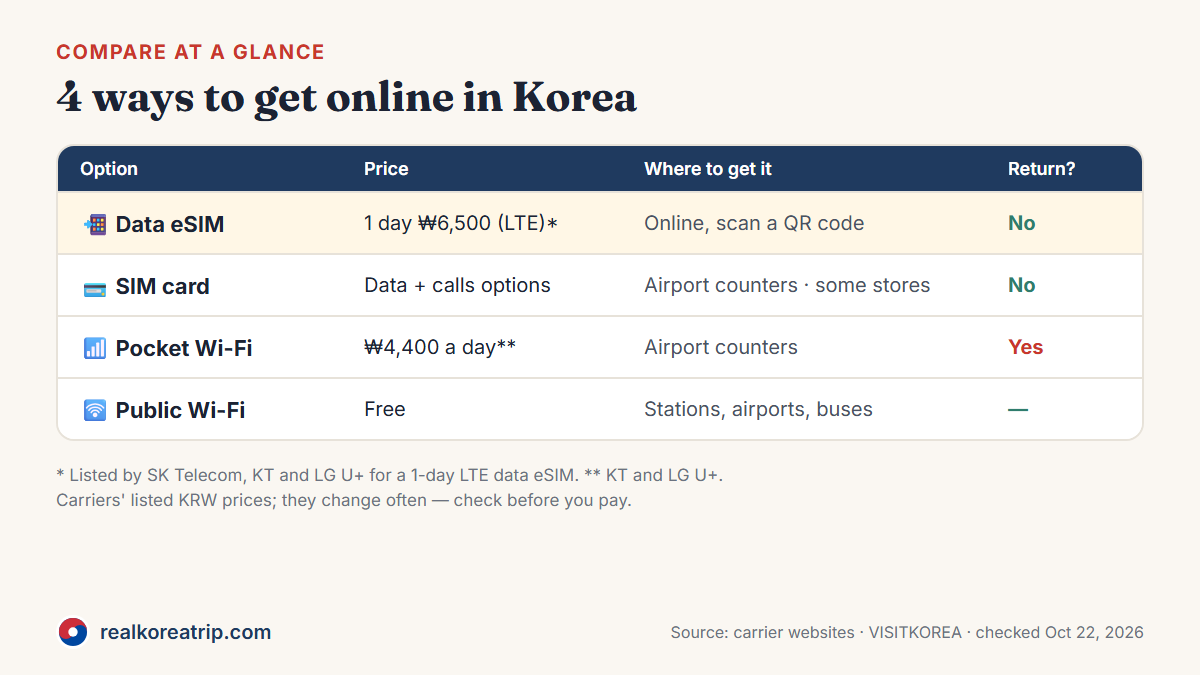
| Data eSIM | Physical SIM card | Pocket Wi-Fi | Free public Wi-Fi | |
|---|---|---|---|---|
| What you get | Data on your own phone | Data, or data + a Korean number | A small router your devices connect to | Free Wi-Fi in public places |
| Price | 1 day ₩6,500 (LTE) | LG U+: same data prices as its eSIM; calls cost extra | ₩4,400 a day | Free |
| Where to get it | Online, then scan a QR code | Airport roaming centers; some convenience stores | Airport counters (reserve online) | Many airports, stations and public places |
| Return it? | No | No | Yes, at the airport | — |
| Good for | Solo travelers with an eSIM phone | Phones without eSIM; anyone who needs to make calls | Groups, families, several devices | A backup, not your main connection |
Source: carrier websites — SK Telecom, KT, LG U+ — and VISITKOREA; checked Oct 22, 2026. Prices shown are the carriers' listed KRW prices; check the current total and any discounts before paying.
First question: data, calls, or app verification?
If you just need maps, messaging apps and the internet, a data-only plan does the job, and you can buy it online before you leave home.
It gets less simple when you think you need "a Korean number". Having a number, receiving calls, making calls and getting a booking app's text code are separate things, and plans differ on each:
- KT gives each of its visitor eSIMs an 010 number. With its data-only eSIM you can receive calls and texts after KT's entry check at the airport, but you can't make calls or send texts.
- LG U+ says text verification for restaurant and taxi booking apps works with its Voice/SMS plans, but not with data only.
- Calls and texts out need a Data + Voice plan, switched on after a passport check — LG U+ and KT do this at their airport counters, and KT sells its voice eSIMs at the airport, not online.
So if a particular app matters to you, check that the exact plan supports it before you buy. A local number on its own doesn't mean the code will arrive.
One thing a visitor plan won't do is get you into Korean banking or government services. LG U+ says identity verification for those isn't supported, KT says its eSIM doesn't support personal authentication, and SK Telecom says its 1-day data eSIM can't receive authentication or payment texts.
Source: LG U+ — SIM card notice; KT — eSIM plans; SK Telecom — 1-day data eSIM; checked Oct 22, 2026.
What a data eSIM costs
Korea has three major mobile carriers — SK Telecom, KT and LG U+ — and each sells prepaid plans for visitors. Each lists one day of LTE data-only eSIM at ₩6,500. The table compares selected data-only plans; prices for other lengths can differ between carriers.
| Days | KT | LG U+ | SK Telecom |
|---|---|---|---|
| 1 day | ₩6,500 | ₩6,500 | ₩6,500 |
| 2 days | ₩12,000 | ₩12,000 | — |
| 3 days | ₩18,000 | ₩18,000 | — |
| 5 days | ₩27,500 | ₩27,500 | — |
| 7 days | ₩35,000 | ₩35,000 | — |
| 10 days | ₩38,500 | ₩38,500 | — |
| 30 days | ₩71,500 | ₩71,500 | — |
On SK Telecom's English eSIM page, the LTE data-only plan we found is the 1-day one; its longer LTE plans come with voice and text (2 days: ₩12,000). A dash means we didn't find a data-only plan of that length, not that the carrier has nothing for your trip. LG U+ shows its longer plans when you tap "more" under the plan lengths.
"Unlimited" means slightly different things. KT gives you 11GB a day at full speed, then up to 5Mbps until it resets at midnight. LG U+ advertises no speed cap, though it says speeds "may be managed" when the network is very busy. SK Telecom's 1-day LTE plan is unlimited at up to 100 Mbps.
Source: KT — eSIM plans; LG U+ — Korea eSIM; SK Telecom — eSIM plans and 1-day data eSIM; checked Oct 22, 2026. Prices shown are the carriers' listed KRW prices. KT and SK Telecom don't accept payment cards issued in Korea on their visitor sites.
Setting up a Korean eSIM
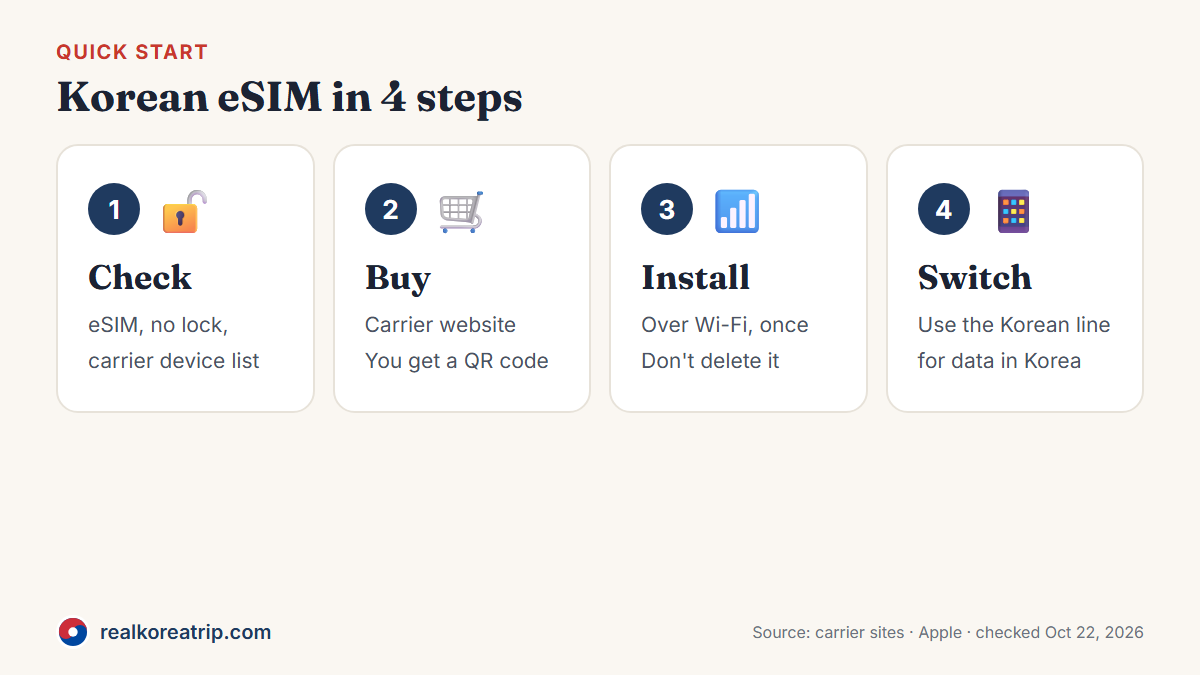
Before you pay, check three things: your phone supports eSIM, it isn't locked to your home carrier, and your exact model is on the Korean carrier's supported list. The third one catches people out. LG U+, for example, currently says its eSIM isn't supported on Google Pixel, Motorola and OPPO devices, and that service may not be available on some phones bought outside Korea. That's a limit of that carrier's plan, so check the device list of the carrier you're buying from.
LG U+ suggests a quick test: dial *#06# — if an EID shows up, your phone supports eSIM. Your home carrier can tell you whether the phone is locked.
After you buy, you get a QR code — SK Telecom, for example, sends it in an eSIM voucher by email. Scan it while you're on Wi-Fi or another connection; SK Telecom and LG U+ both say the eSIM needs internet to install or activate.
Then leave it alone. The carriers are blunt about this: delete the eSIM and it can't be restored, so you'd be buying a new one.
Watch the installation deadline, too. LG U+ says to activate within 60 days of purchase. KT's page gives two different deadlines, and its eSIMs can't be refunded, so ask KT which one applies before you pay.
When you land, pick the Korean line for mobile data. On an iPhone that's Settings → Cellular → Cellular Data; on Android the menu names depend on the phone maker. If your plan comes with a number, LG U+ notes that it appears after you arrive in Korea.
Source: SK Telecom — 1-day data eSIM notes; LG U+ — Korea eSIM notice; KT — eSIM plans; Apple Support; checked Oct 22, 2026.
Buying a physical SIM card
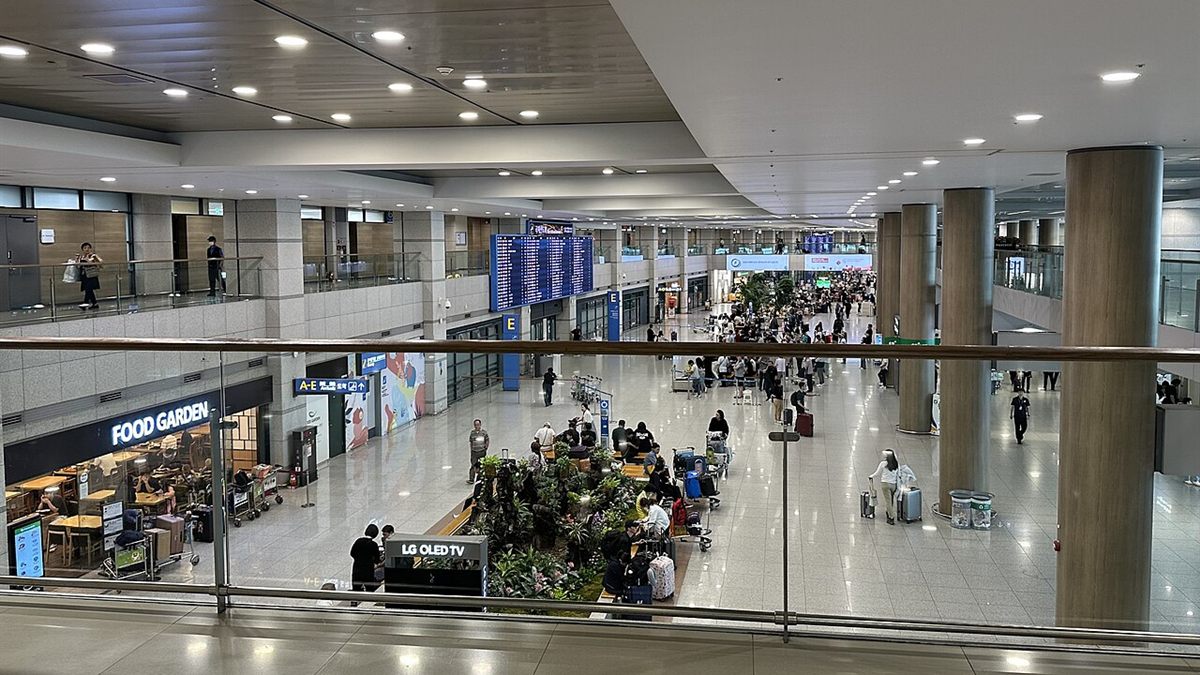
No eSIM support? A physical SIM (often called a USIM in Korea) does the same job. Roaming centers at Incheon, Gimpo, Gimhae and Jeju airports sell prepaid SIMs, and you can also buy online and pick up at the airport.
At Incheon Terminal 1, KT has two counters on the arrivals floor (1F): one near Arrival Hall A, open 06:00–22:00, and one near Arrival Hall F that's open 24 hours. Bring your passport. LG U+ switches on plans with calls after a passport check at its airport counter.
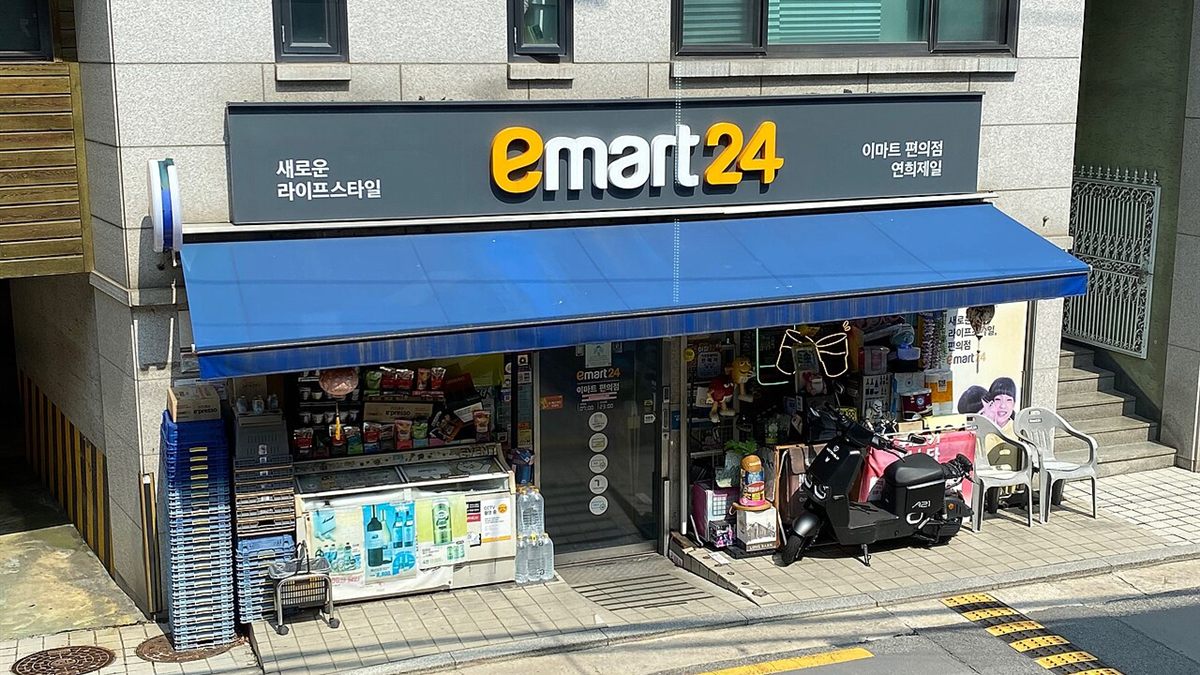
If you skip the airport, VISITKOREA says CU, GS25, 7-Eleven and Emart24 convenience stores sell USIM cards too — but stock varies by branch.
Source: VISITKOREA — Electricity & Communications; LG U+ — Korea SIM Card; KT; checked Oct 22, 2026.
Renting a pocket Wi-Fi
A pocket Wi-Fi (VISITKOREA calls it a "Wi-Fi egg") is a small battery-powered router. Several phones and laptops can connect at once, which is why families like it. The catch is that it's a rental: you collect it and you return it.
| KT | LG U+ | |
|---|---|---|
| Daily rental | ₩4,400 | ₩4,400 |
| Data | Unlimited at 20Mbps | 4GB a day, then up to 5Mbps |
| Deposit | Credit card in your name, with more than 3 months left before it expires; debit cards not accepted for the deposit | Credit card in your passport name (₩1,111 authorization, not charged) or debit card (₩70,000 deposit, refunded when the device comes back in good condition) |
| Pick up / return | KT airport roaming centers | Incheon T1, T2, Gimpo or Gimhae airports |
Source: KT — Wi-Fi router; LG U+ — Pocket Wi-Fi; checked Oct 22, 2026.
Free public Wi-Fi
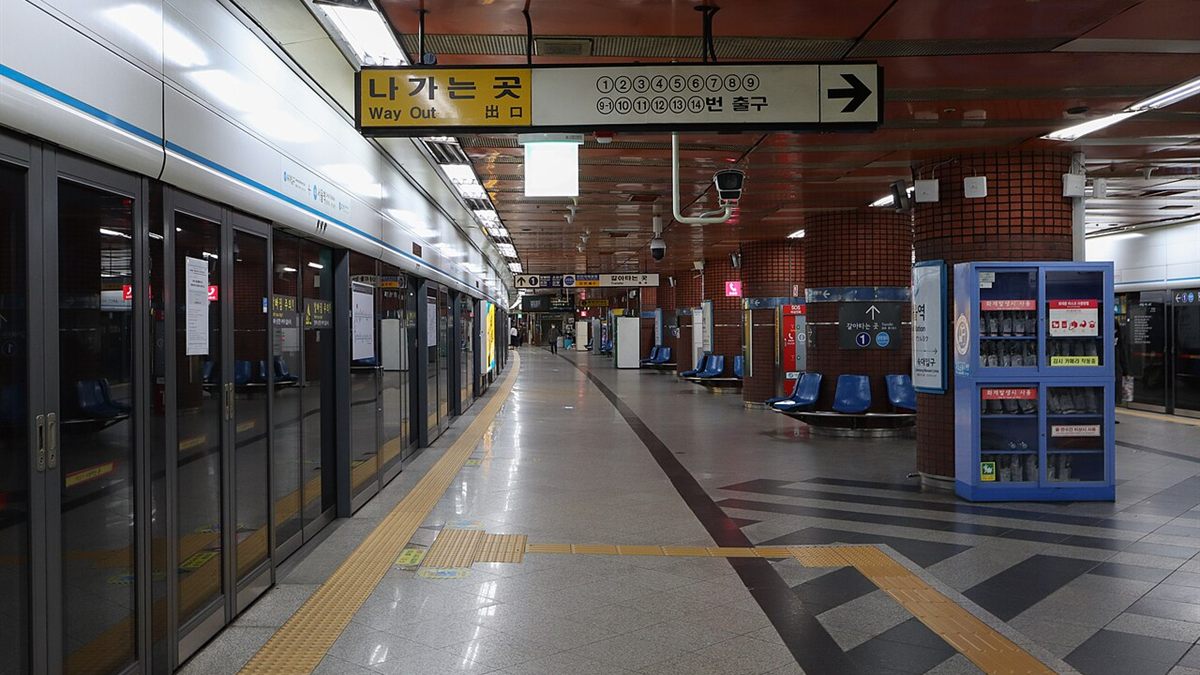
VISITKOREA says free Wi-Fi is available in most public places, including airports, subway and train stations and some bus stops. Network names and sign-in steps vary by place. The national Public WiFi service — run with the three carriers in places like community centers, traditional markets and public buses — appears as "Public WiFi Free": pick it, open your browser and tap the button to use the service. At airports and stations, use the network shown on the facility's signs or official website.
The Public WiFi service itself warns users not to handle sensitive personal information or make payments over it.
Source: Public WiFi (Ministry of Science and ICT / NIA); VISITKOREA; checked Oct 22, 2026.
So which one?
Before you fly
- Check that your phone supports eSIM, isn't carrier-locked and is on the Korean carrier's device list.
- Decide: data only, or do you need calls or app codes?
- Buy and install a data eSIM while you're on Wi-Fi — or reserve a SIM or pocket Wi-Fi for airport pickup.
- Look at your home plan's roaming, so your home line doesn't run up charges. Apple suggests checking whether your carrier includes international roaming before you travel.
- Install Naver Map — here's how to use Naver Map in Korea — and plan your ride from Incheon Airport to Seoul.
FAQ
How much is an eSIM for Korea?
On the three Korean carriers' own sites, a 1-day LTE data eSIM costs ₩6,500 (checked Oct 22, 2026). KT lists 5 days at ₩27,500 and 30 days at ₩71,500.
Can I get a Korean phone number as a tourist?
Yes. Some tourist plans include an 010 number — even KT's data-only eSIM, which can receive calls and texts after KT's airport entry check. To make calls or send texts, you need a Data + Voice plan; LG U+ and KT switch these on after a passport check at their airport counters.
Do I need a Korean number for taxi or restaurant apps?
Not necessarily — a local number on its own isn't enough. LG U+ says app text verification works with its Voice/SMS plans, not with data only. Check that your chosen plan supports the app's verification method. For Korean banking or government identity checks, LG U+ says its plans aren't supported and KT says its eSIM doesn't support personal authentication.
Is there free Wi-Fi in Korea?
Yes, at many airports, stations and public places. Network names vary; the national Public WiFi service appears as "Public WiFi Free". Avoid making payments on public Wi-Fi.
Pocket Wi-Fi or eSIM?
A pocket Wi-Fi (₩4,400 a day at KT and LG U+) can be shared by a group but has to be returned at the airport. An eSIM stays on your phone and there's nothing to return.
- Korea Tourism Organization (VISITKOREA) — Electricity & Communications (last updated Sep 11, 2026)
- LG U+ — Korea eSIM (Data)
- LG U+ — Korea SIM Card (Data + Voice)
- LG U+ — Pocket Wi-Fi
- SK Telecom — eSIM plans for visitors
- KT — eSIM plans for visitors
- KT — Wi-Fi router rental
- Public WiFi (Ministry of Science and ICT / NIA) — Service information
- Apple Support — Use eSIM while traveling internationally with your iPhone
Last checked Oct 22, 2026. Details can change — please confirm with the official source before you travel.
Photo credits